Notexs Guide
Create PDF Documents
Use PDF documents when the final page layout matters more than a fast working note.
Start from the PDF Editor
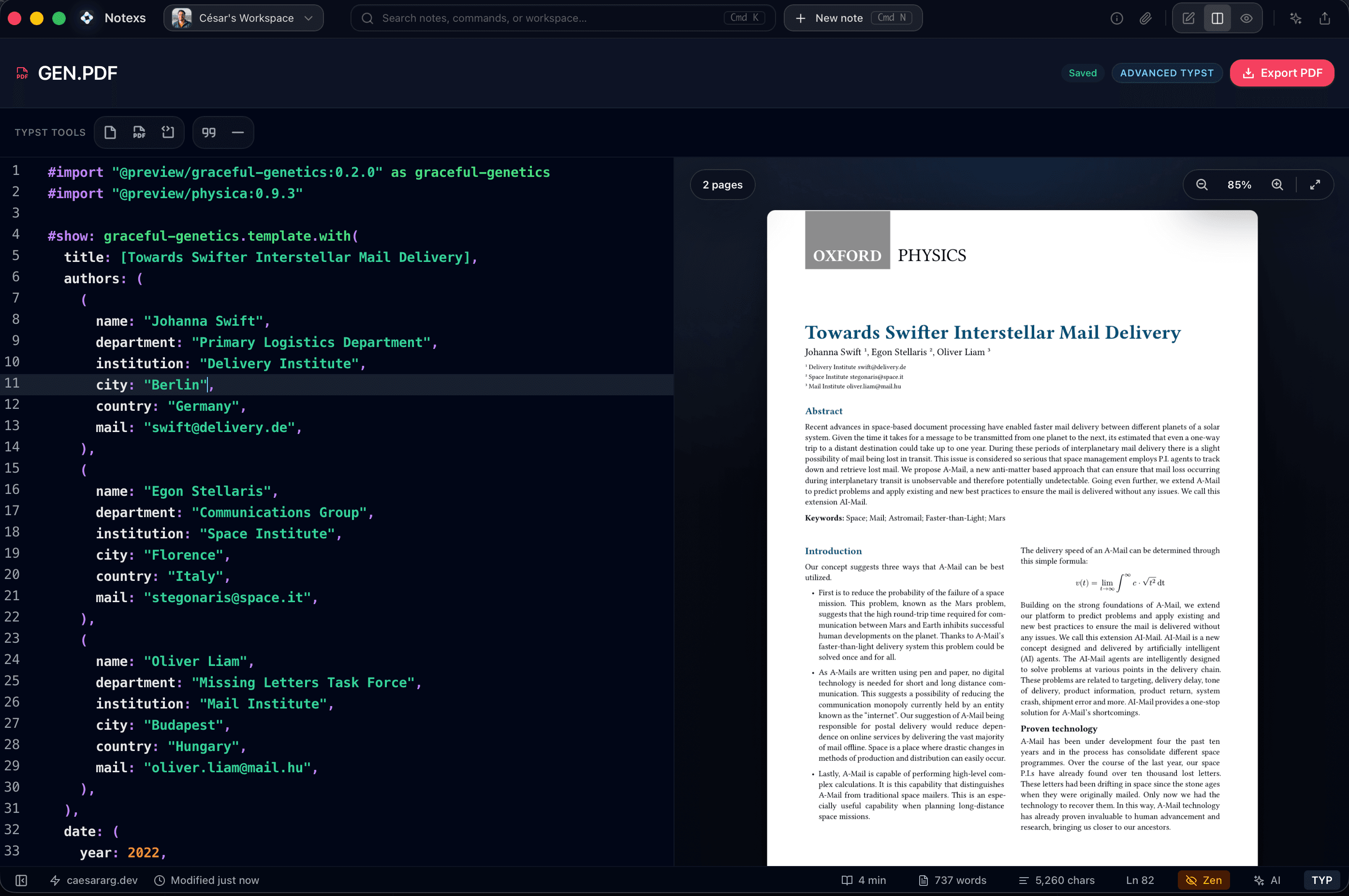
Create a PDF document when you need a report, proposal, paper, exam, or client handoff. The editor gives you source on one side and a page-oriented preview on the other so layout decisions stay visible while you write.
PDF editor split view
Work with document source and a compiled PDF preview side by side.
Choose the Simplest PDF Path
Use a standard PDF document for everyday polished output. Use the Typst-backed path only when you need stronger page control, formulas, figures, or structured technical artifacts.
PDF preview updating
Review page structure as the document changes, then export the finished PDF.
Export the Artifact
When the document is ready, export a PDF from the editor. Keep Markdown notes for fast thinking and PDF documents for deliverables that need stable pages.