
Notexs Guide
Create a Markdown Document
Use Markdown notes for fast drafting, technical blocks, and connected knowledge.
Write with Markdown
Create a Markdown note and begin with familiar lightweight syntax. The editor saves locally and renders a preview so you can review the result while writing.
# Project Notes

## Decision

Use a local-first desktop workflow.

```ts
const mode = "focused";
```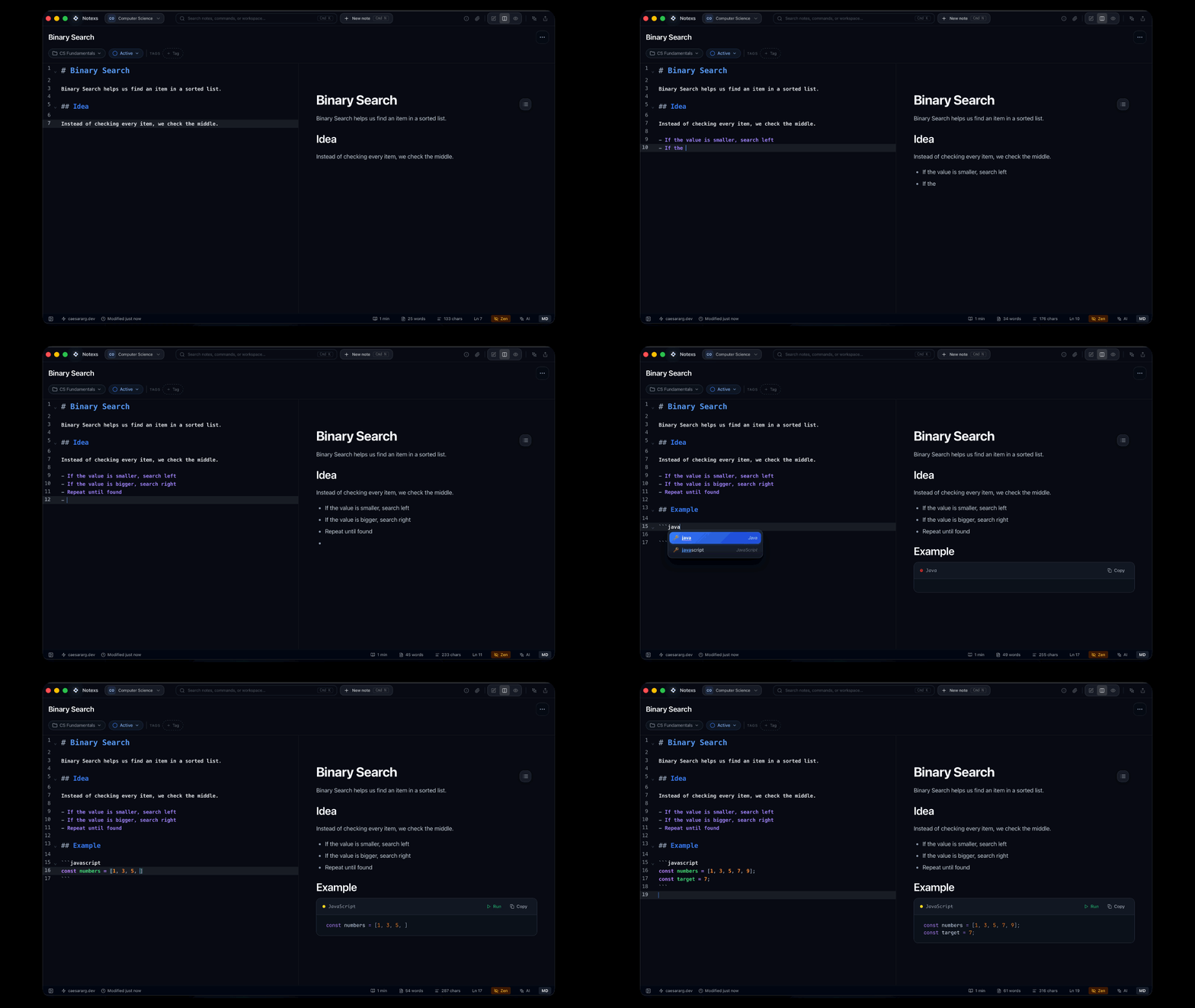
Markdown editor and preview loop
Write in the editor while the rendered preview updates beside your source.
Add Rich Technical Content
Markdown notes support rich blocks such as code, tables, math, plots, charts, Mermaid diagrams, callouts, linked notes, images, CSV tables, and 3D models. Type / in the editor to open the slash-command palette and insert the block that fits the work.
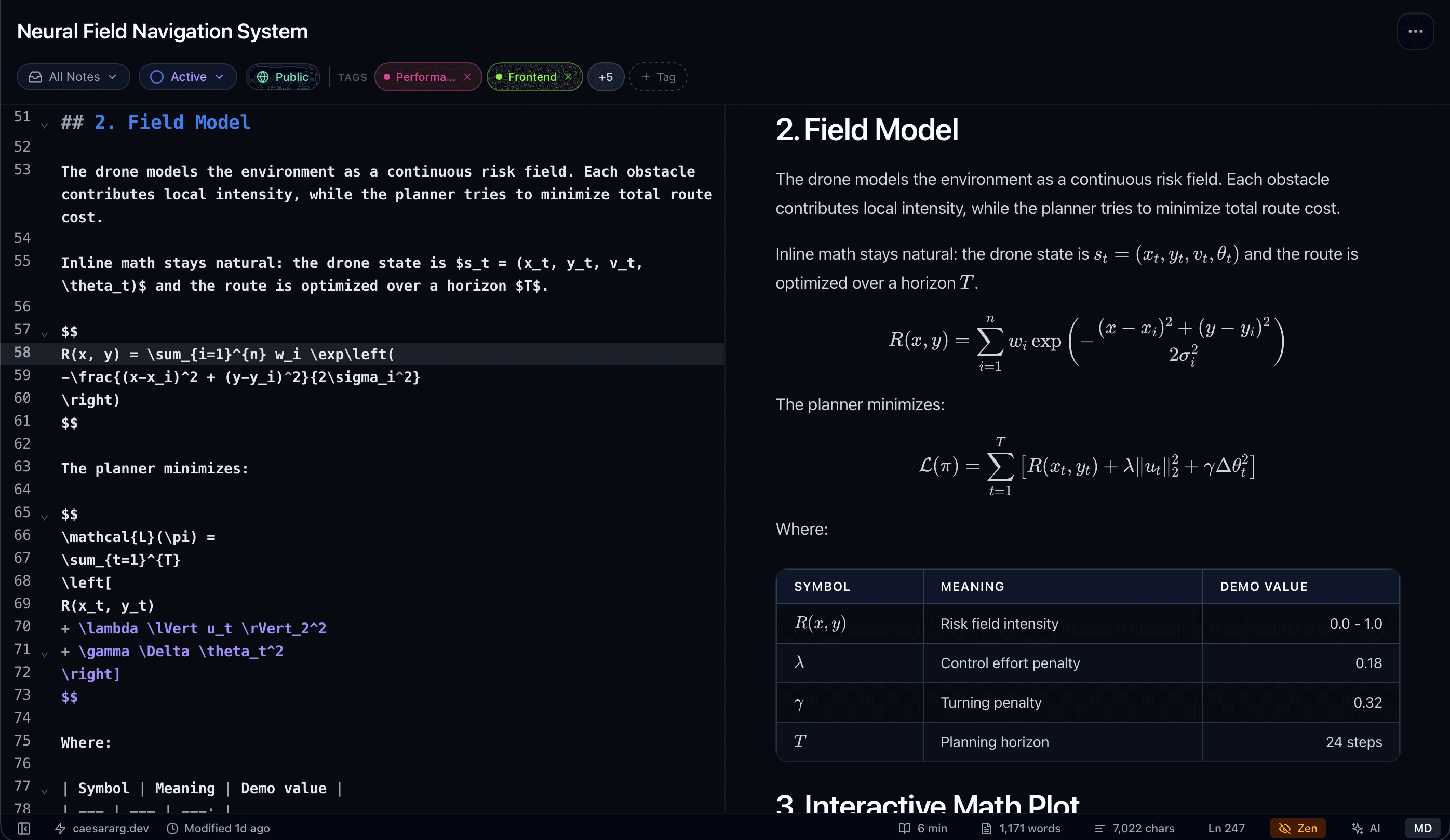
Rich technical content
Combine text, references, visuals, structured blocks, and more in one Markdown note.
Export When Ready
Markdown notes can be exported as Markdown, HTML, or PDF. Use a PDF document instead when you need a page-oriented editing and preview workflow.