
From rough work toready deliverable.In minutes, not hours.
Notexs captures your technical work as it happens, then turns those rough notes into polished documents — without ever leaving your workspace.
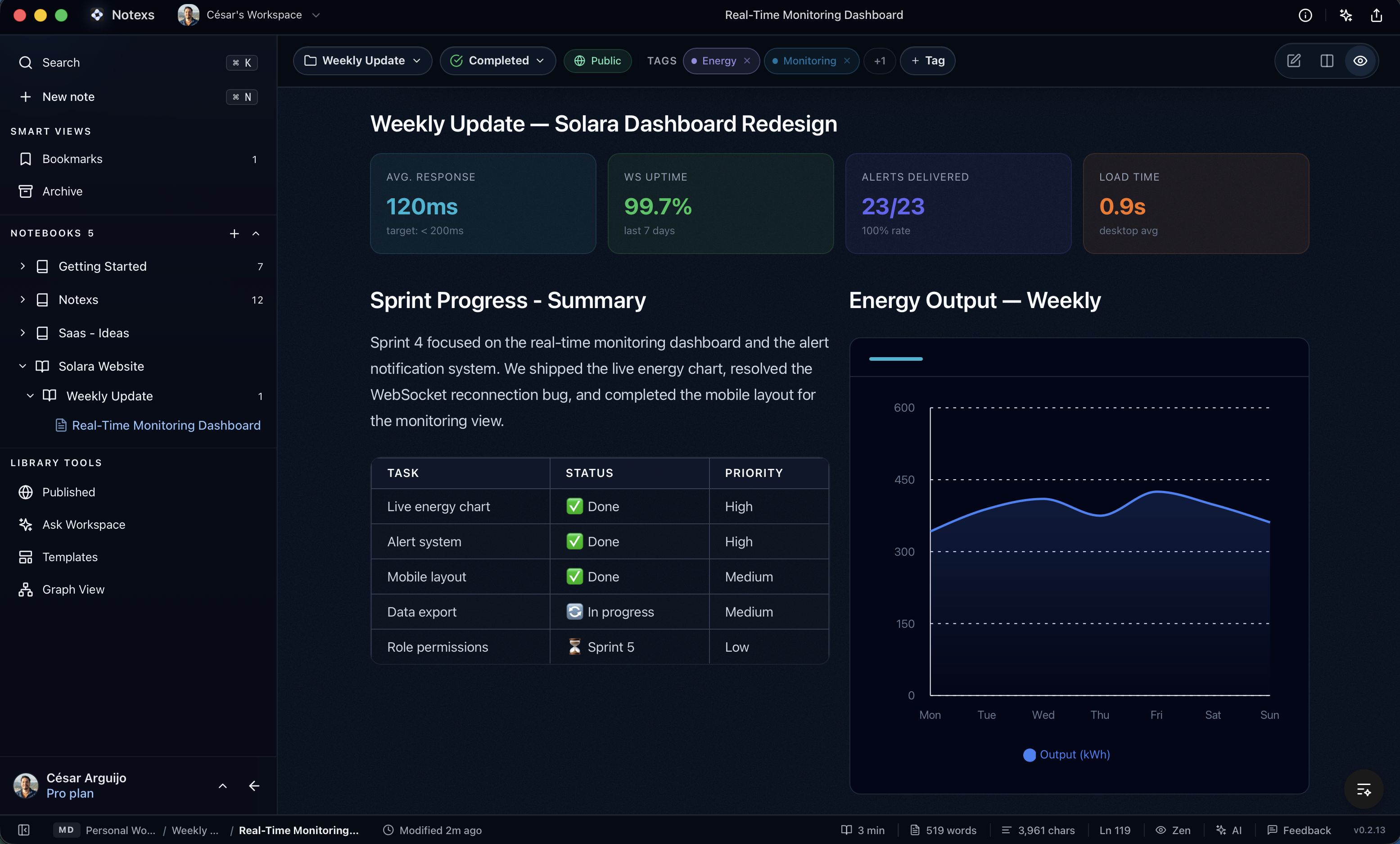
Why Notexs
Capture what is hard to rewrite. Keep the useful part editable.
Notexs brings screenshots, references, and rough notes back into your private workspace so they can become work you are comfortable sharing.
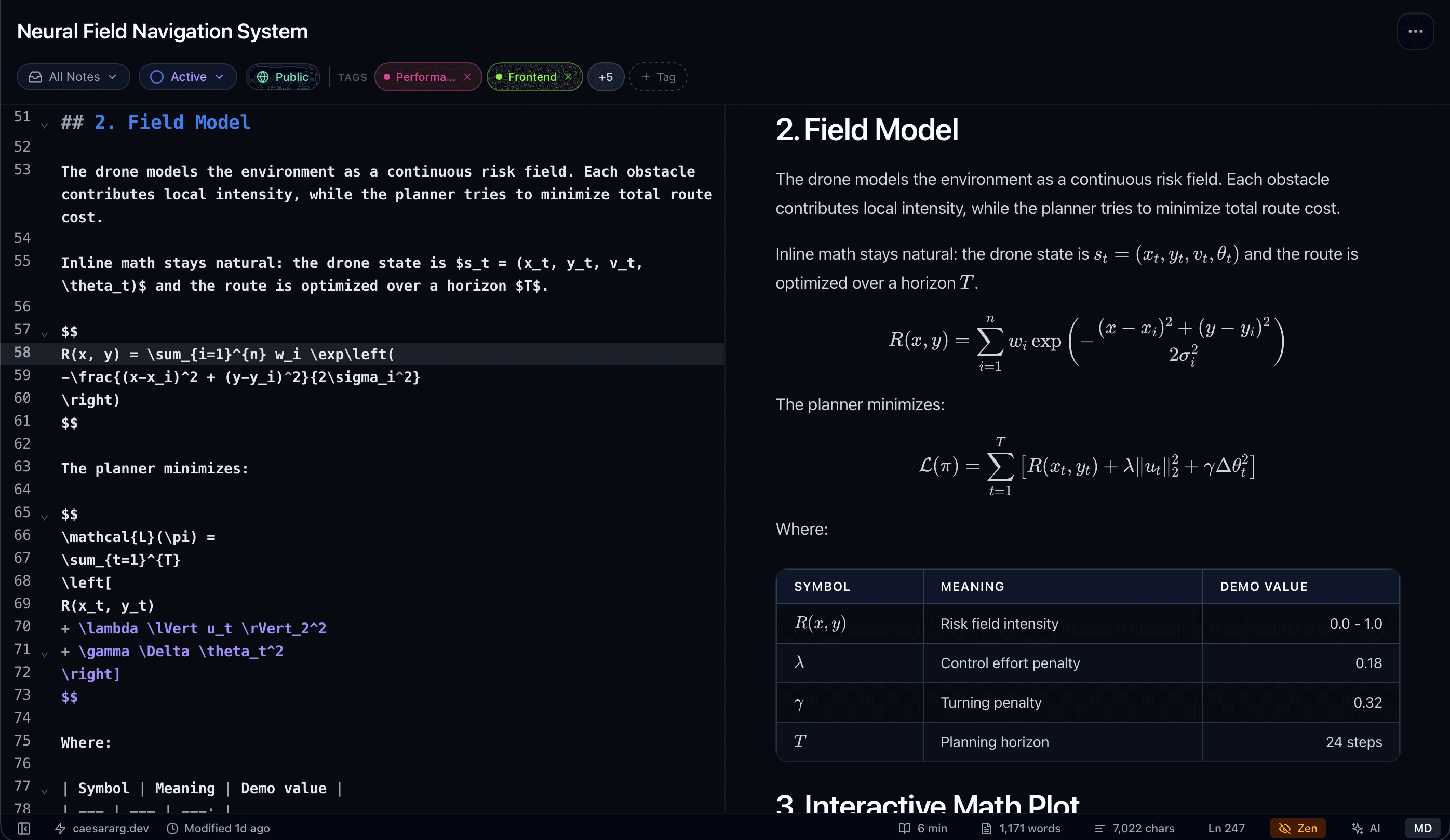
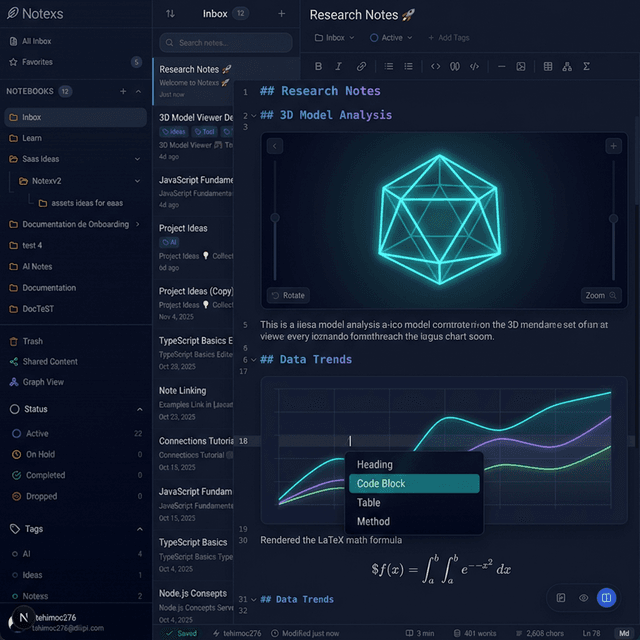
Capture what is hard to rewrite
It comes back as editable source
Turn screenshots, references, and rough context into work you can refine.
Product preview
A quick look inside Notexs.
See how technical notes, connected knowledge, AI Connectors, and document workflows come together.
Features
The workflow between rough context and a finished handoff.
Capture source material, shape it in Markdown, add the technical blocks that make it clear, then export or publish the version people need to read.
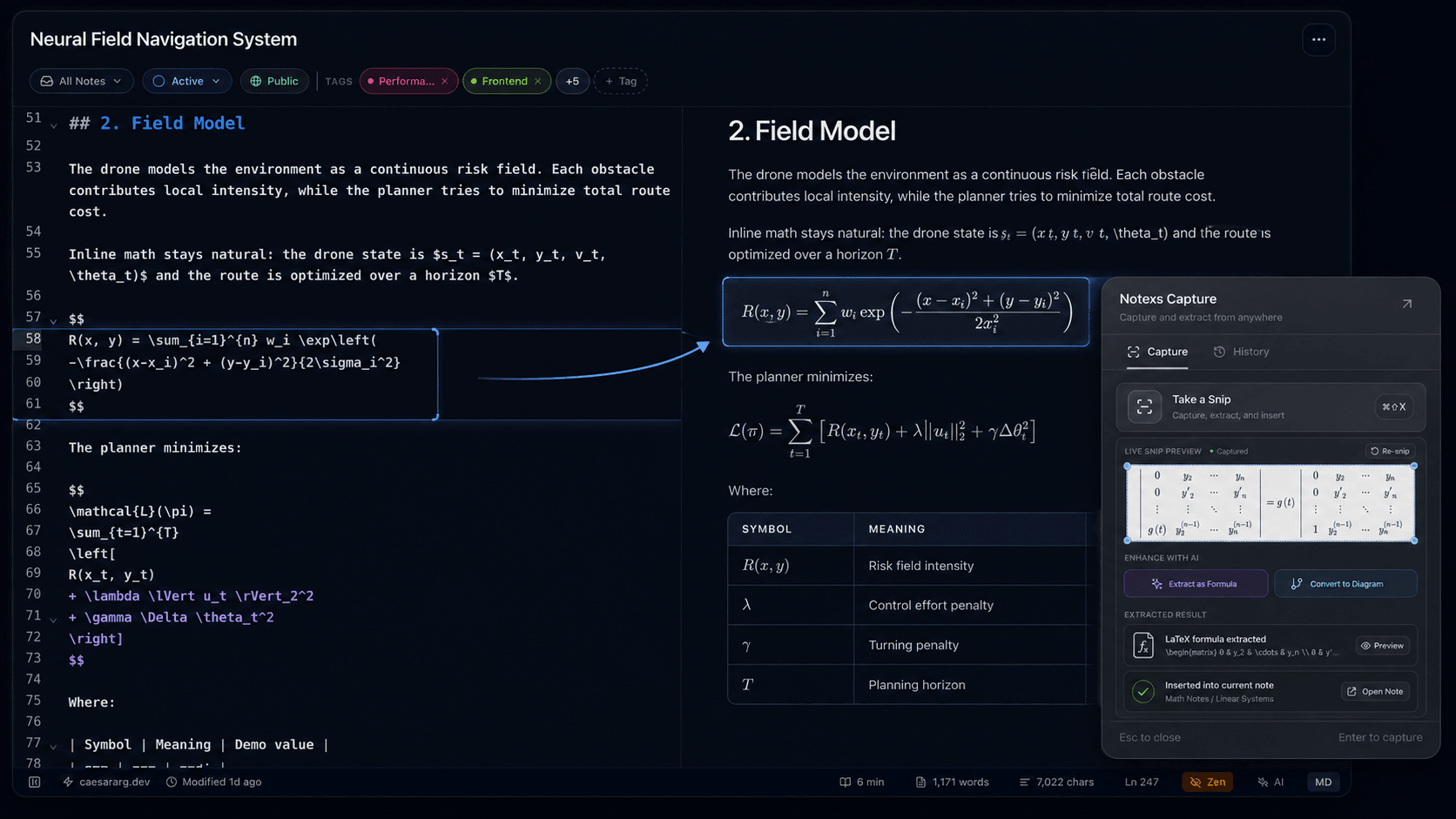
Capture the context behind the work.
Snip from anywhere, extract text, formulas, and diagrams, then bring the useful parts into the document you are preparing.
Learn about Capture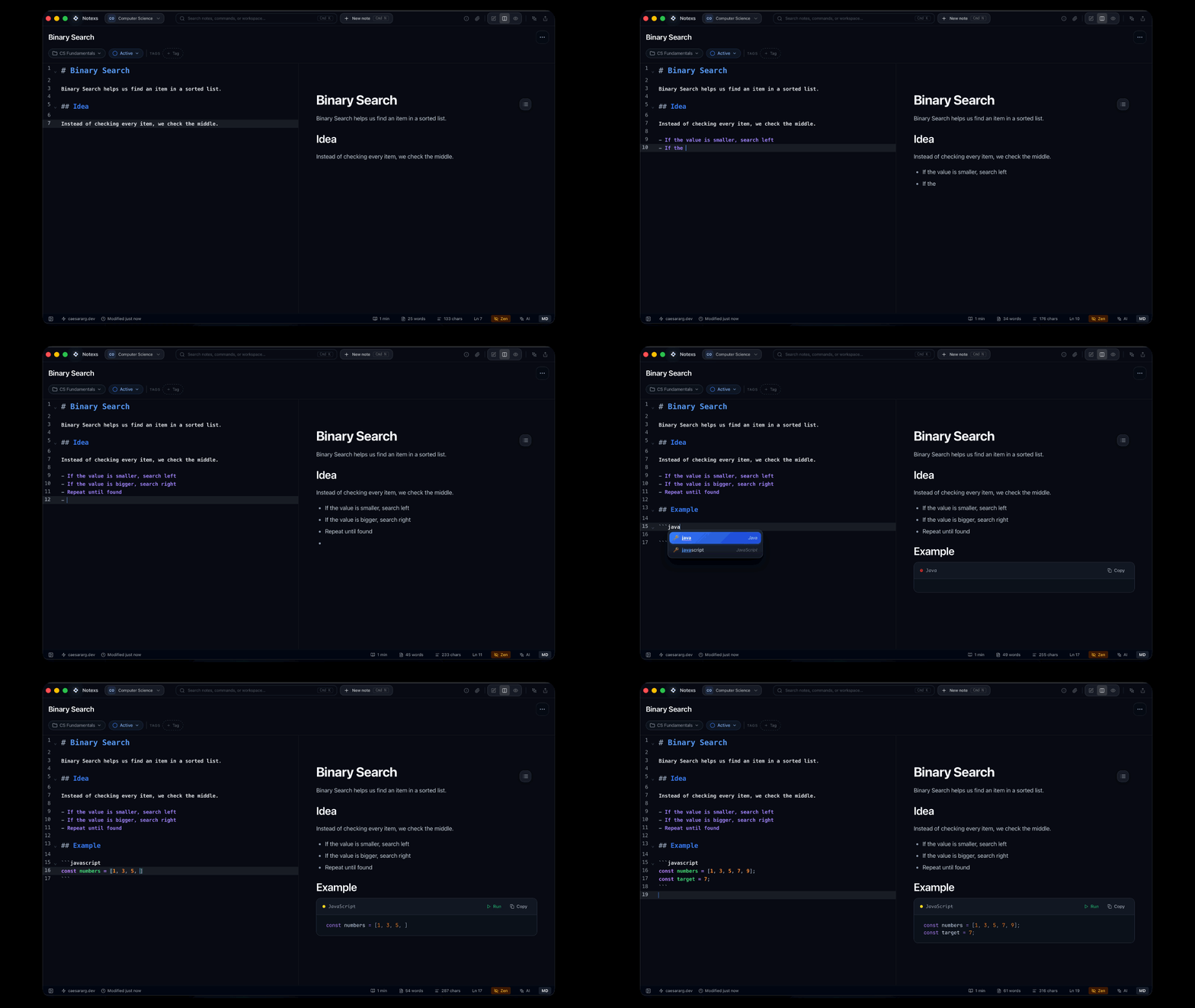
Draft technical documents without ceremony.
Write in Markdown while rich blocks render beside your draft, from code and tables to diagrams, plots, and 3D models.
- Math, code, tables, diagrams, 3D models, and more
- Editor and preview side by side
- Markdown stays editable
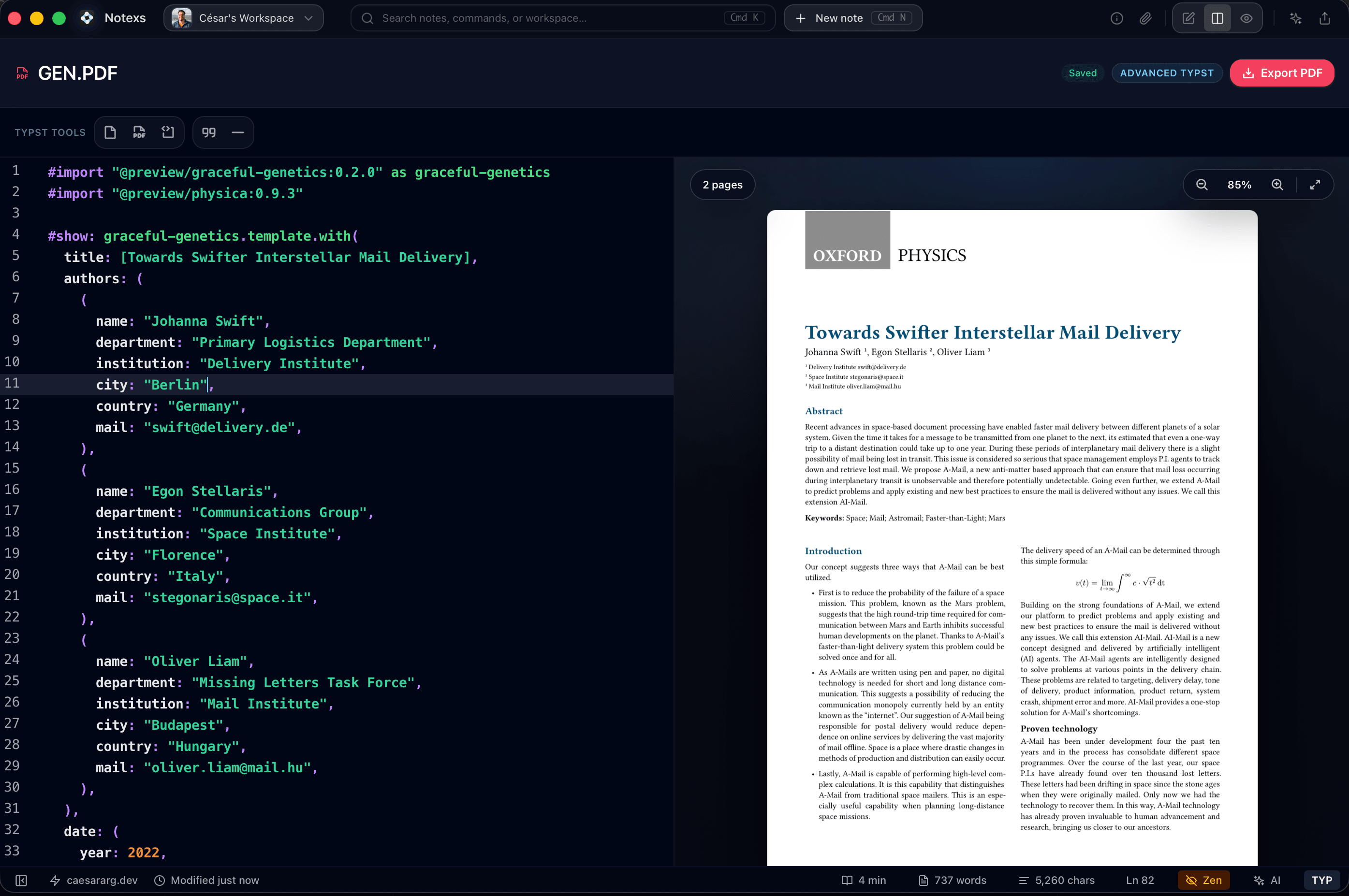
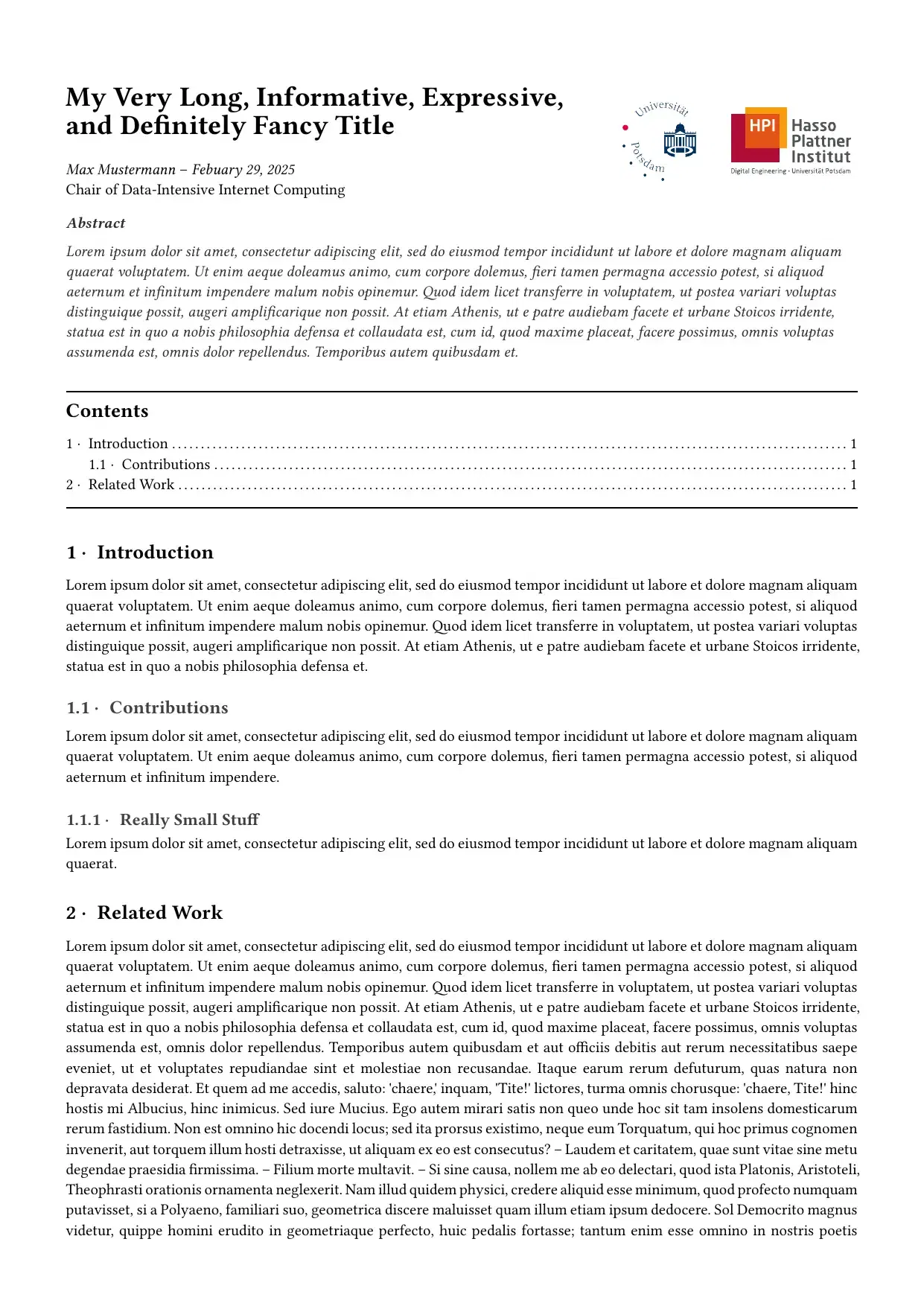
Turn working notes into polished PDFs.
Move from structured technical writing to client-ready documents without rebuilding the work in another tool.
- Typst-backed page layout
- Live source and document preview
- Export when it is ready
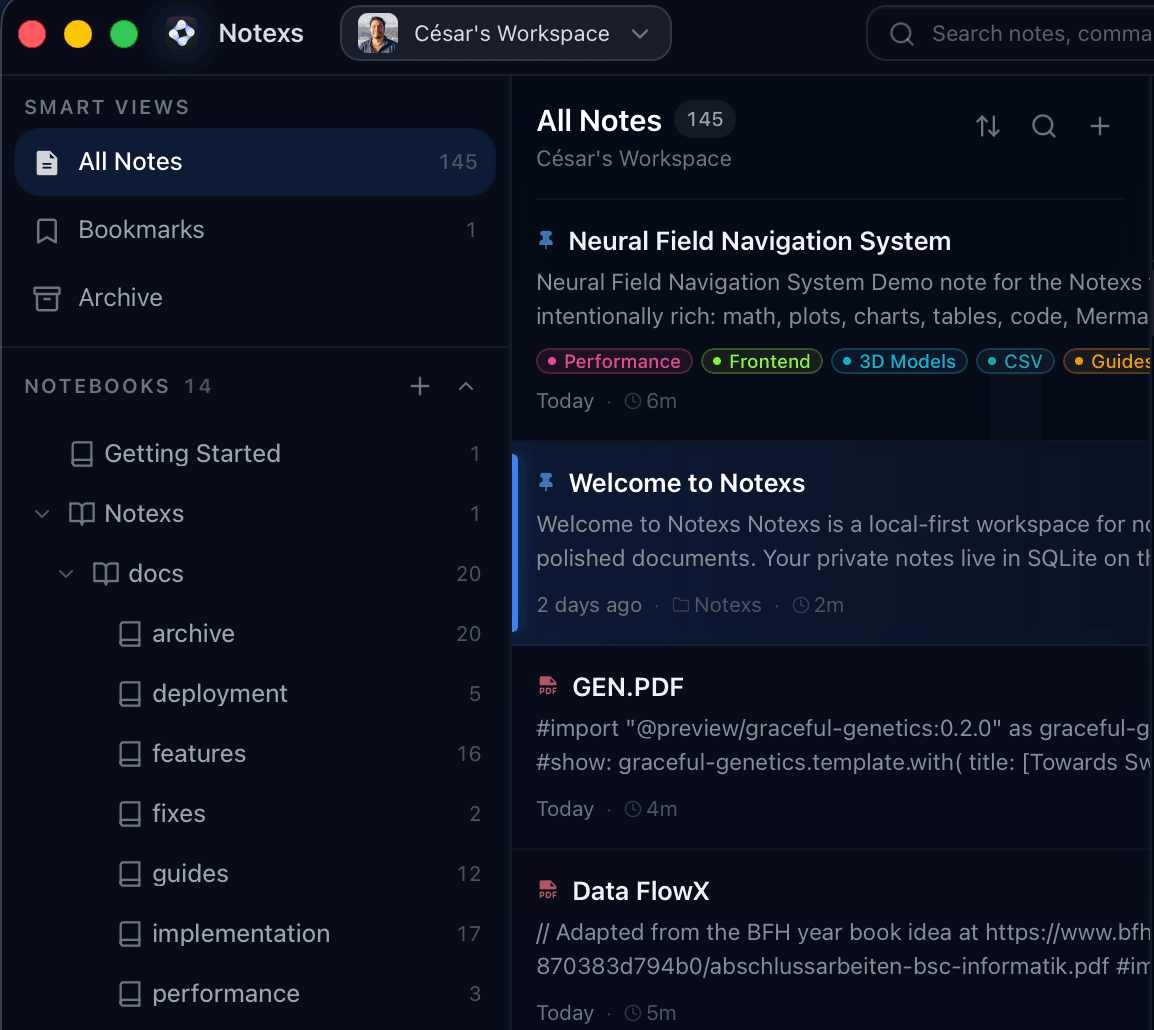
Keep client and project context organized.
Use notebooks, tags, pinned notes, and search to keep research, captures, decisions, drafts, and deliverables easy to find.
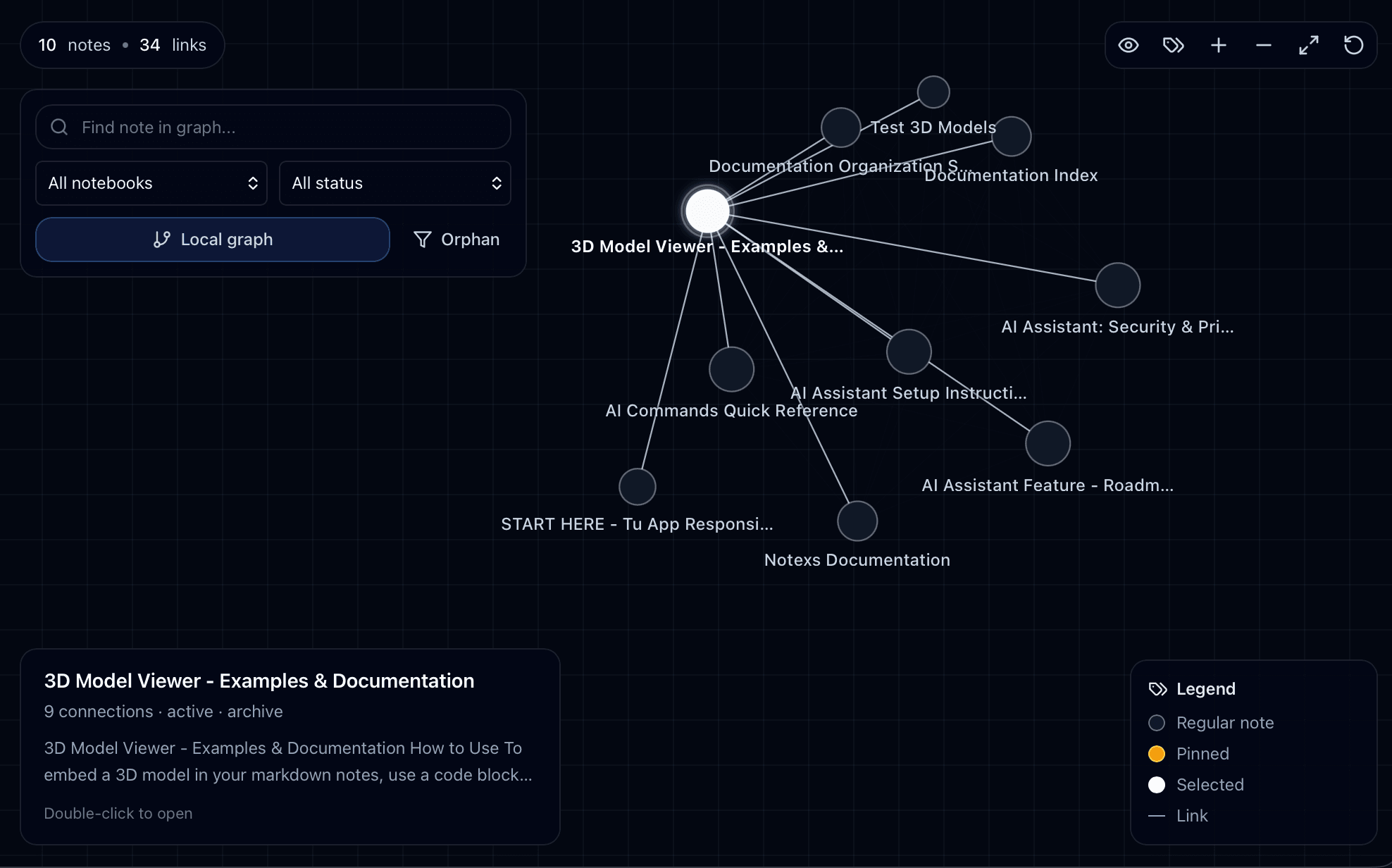
Trace the reasoning behind a document.
Map relationships between notes, references, decisions, and deliverables so important context does not disappear.
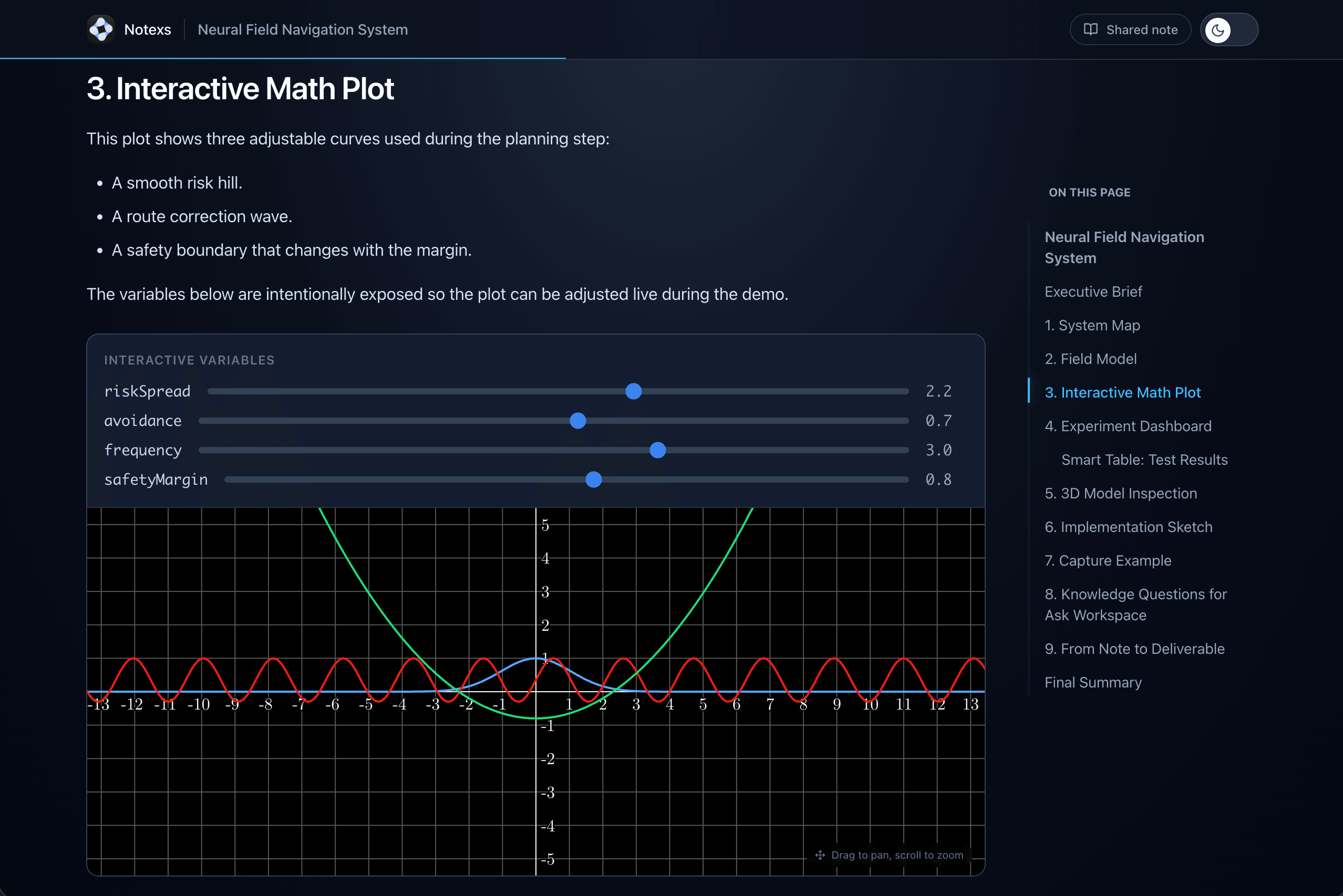
Share the version that is ready.
Publish a read-only note, share a notebook, or hand off a PDF when the work needs to leave your local workspace.
Notexs fits your workflow
From personal notes to client deliverables — one workspace that adapts to how you think and work.
Client Proposals
Draft proposals in Markdown, refine them with AI, and share a polished version when you're ready.
e.g. Project proposal with scope, timeline, and pricing — delivered via link
Client Documentation
Create structured documentation clients can explore. Embed code, diagrams, and rich media — share when it's ready.
e.g. Brand guidelines with embedded assets and interactive previews
Product Documentation
Write and publish professional documentation that represents your product. Auto table of contents, syntax highlighting, and clean typography.
e.g. API documentation and getting-started guides
Technical Specs
Draft architecture decisions, RFCs, and system specs privately. Share them with your team when alignment is needed.
e.g. System architecture doc with embedded diagrams and code blocks
Public Product Pages
Write changelogs, feature announcements, and how-to guides — and publish them directly as public pages.
e.g. Public changelog and feature documentation page
Internal Knowledge Base
Structure internal thinking into searchable, shared knowledge. Processes, onboarding guides, and reference docs — organized and accessible.
e.g. Internal onboarding guide with step-by-step walkthroughs
Sound familiar?
The draft is only half the work. Delivery is the rest.
Most technical work starts as notes. Notexs helps it become something you can hand off without losing the source.
"I just wanted to finish the document."
Technical writing often turns into setup work: plugins, exporters, preview tools, publishing steps, and small fixes that steal attention from the actual document.
Notexs brings the core workflow into one desktop app: writing, rich previews, graph view, AI assistance, export, and publishing.
"My workspace should still work offline."
A writing workspace should not disappear because the network is unreliable or a service is unavailable. Your notes should remain usable on the machine where you work.
Notexs keeps the desktop workspace local-first. Server-backed features are there when you choose to share, publish, or sync.
"The draft is done. The handoff still isn't."
Many notes tools stop right before the moment that matters: sending the work to a client, teammate, reader, or future version of yourself.
Notexs helps notes become deliverables: PDFs, public links, shared notebooks, and connected references from the same workspace.
Already writing in Markdown? Keep the source simple. Make the output feel finished.
Pricing
Simple, transparent pricing.
Start free. Upgrade when you're ready.
Pro Lifetime is $29 for the first 100 founding users.
Start free. Upgrade when you need AI assistance, sharing, and advanced delivery workflows.
Free
Write locally. Organize clearly. Export when the work is ready.
- 1 personal workspace
- Full Markdown editor + 14 slash commands
- Rich content: charts, math, diagrams, 3D
- Unlimited notes, notebooks, tags, and search
- Knowledge graph for connected notes
- Export to PDF, Markdown, and HTML
- Typst-backed document workflows
- Desktop app for macOS, Windows, and Linux
Pro Lifetime Founding
Multiple workspaces, AI, sharing, and delivery workflows. One payment. No subscription.
- Everything in Free
- Unlimited workspaces for clients, projects, and research
- Notexs Capture — Formula → LaTeX & Diagram → Mermaid (BYOK)
- AI writing assistant — improve, summarize, rewrite
- AI-assisted diagrams, tables, and math formulas
- Public note sharing — password & expiry control
- Shared notes and notebooks
- Version history and Pro delivery workflows
- Founding price locked for the first 100 users
Sign in or create an account before checkout.
Includes fair use limits to ensure service quality.
Download the desktop app from the official Notexs download page for macOS, Windows, or Linux.
FAQ
Questions worth answering upfront.
The practical details before you download.
Still have questions? View the product direction and we keep it updated.
Ready to ship?
Your next deliverable
starts here.
Download the free desktop app. Write locally, enhance with AI, and deliver when the work is ready.
Free desktop workspace. No account required to start.
Local-firstmacOS, Windows, LinuxFree forever