Editable Output
Editable source, not screenshots.
Turn captured material into Markdown, LaTeX, Mermaid, or plain text you can keep editing.

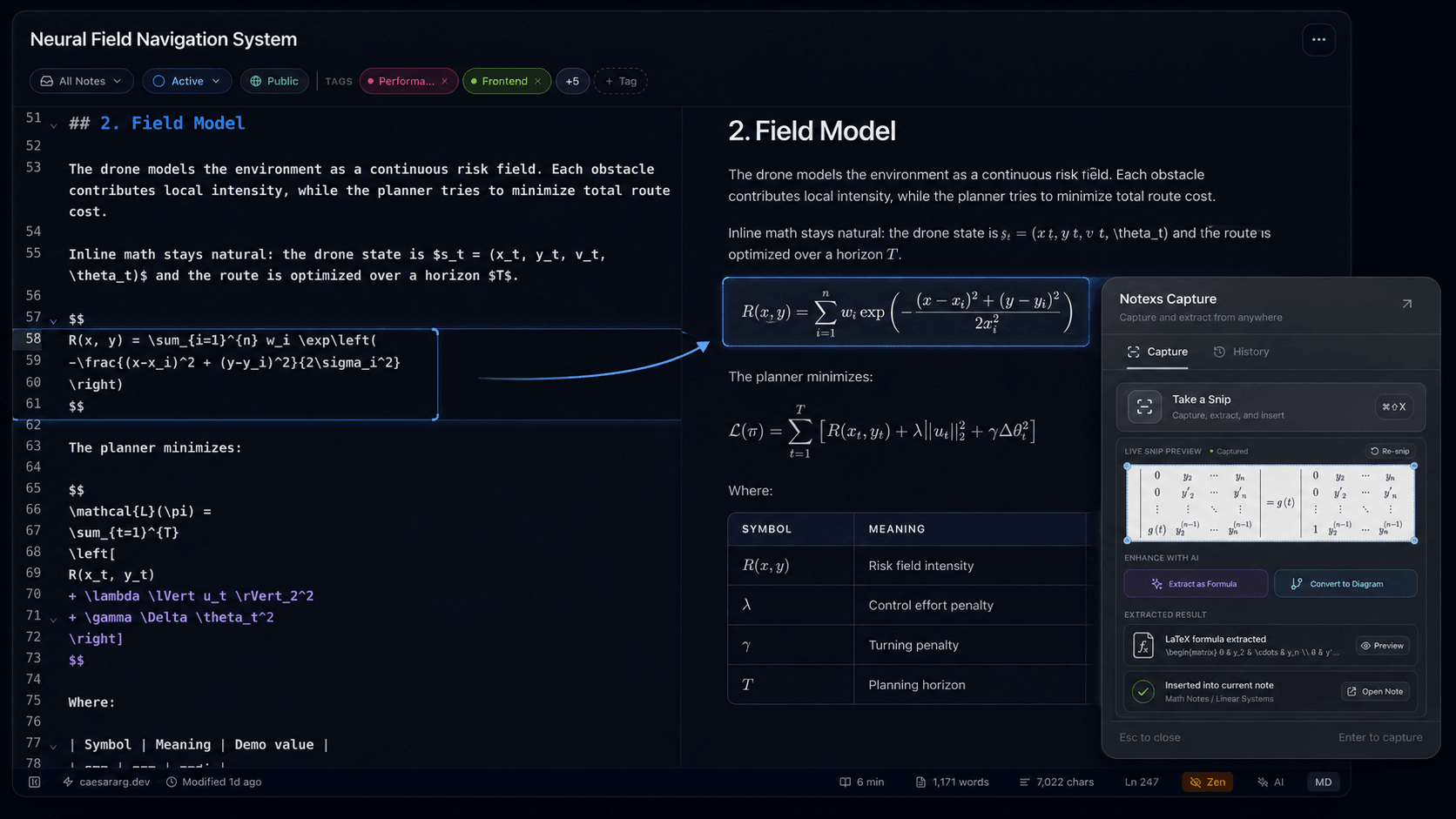
Grab text, formulas, and diagrams from your screen, then insert clean Markdown, LaTeX, or Mermaid into Notexs without rebuilding it by hand.
Global Shortcut ⌘⇧X
Notexs Capture
Press one shortcut, select what matters, and send clean Markdown, LaTeX, Mermaid, or text back into Notexs.
Global shortcut
Works from any app on your Mac
Open Notexs Capture from any application with your global shortcut.
Output
Keep the useful part editable, reviewable, and ready to use in your note.
Turn captured material into Markdown, LaTeX, Mermaid, or plain text you can keep editing.
Check the extracted result first, then copy it or insert it into the active note.
Capture from papers, slides, diagrams, equations, app windows, and research material without rebuilding it by hand.
Capture the useful part, keep the source editable, and move back into your note.
Available for macOS, Windows, and Linux.